Koi‑DOS.
An operating system you can put on a USB stick, boot on a real machine, and
use. It looks like DOS and behaves like DOS — a Z:\> prompt, drive letters,
dir and copy, batch files — but underneath it is a 64-bit kernel
written from nothing for UEFI machines made this decade.
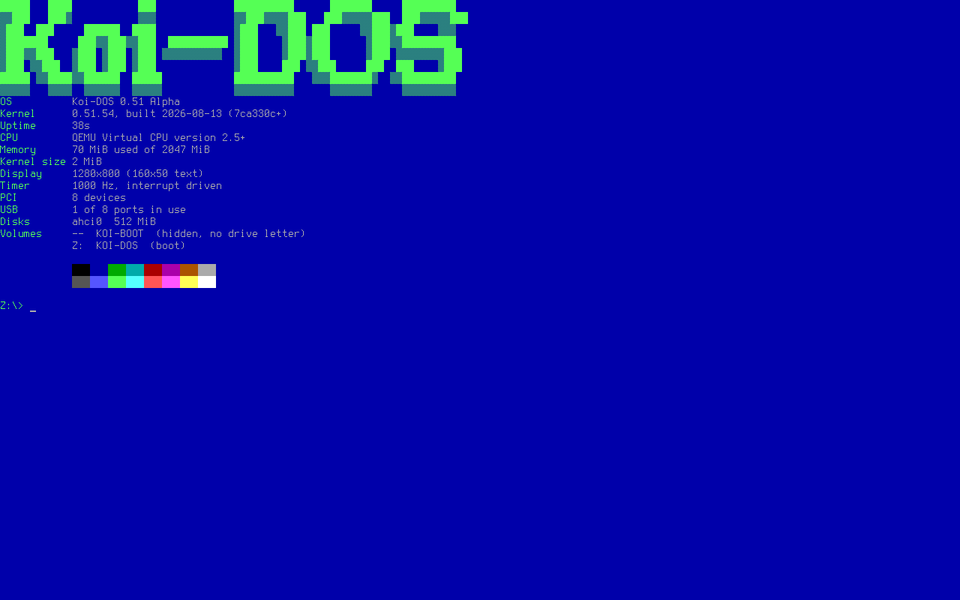
What it is
A real operating system. It boots on bare metal, leaves UEFI behind, and drives the hardware itself: its own memory manager, interrupt tables and page tables; keyboards and mice over PS/2 and USB; disks over AHCI, NVMe and USB storage; FAT32 it reads and writes; HD Audio; an Intel network card and a phone tethered over USB.
It is not Linux, and not trying to be. One program owns the screen at a time, the way DOS worked. Unlike DOS, each program runs in its own protected memory, so a bad pointer ends that program and not the machine. There are threads, and TLS 1.3 for the internet.
What you get
- A shell that behaves like DOS.
dir,cd,copy,type,del,ren,tree,find,sort,xcopy— with redirection, pipes, environment variables and batch files that can actually decide things.AUTOEXEC.BATruns at startup. - A file manager in the line Norton started: two panels, a mouse, a viewer and a notepad.
- A package manager.
dosget installfetches signed programs and drivers over the network: Koi-Commander, a pack of seven games, Lua, dosfetch, DOOM (bring your own WAD) and the Quake shareware episode. - Pictures and sound. PNG, JPEG, GIF and BMP on screen, WAV through the speakers.
- Four keyboard layouts. English, Russian, Ukrainian and Greek, switched with Alt+Shift.
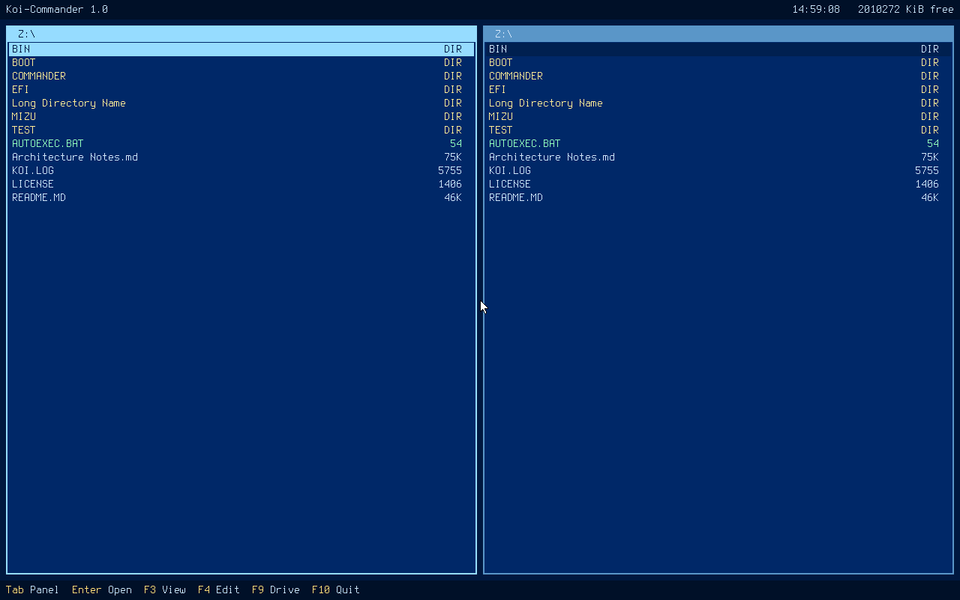
Booting
Almost every line of the boot log is a claim being checked rather than a step being announced. The memory figure comes from an allocate-and-free round trip, the heap from a self test, and the two timer lines are one clock measuring another.
KOI DOS KERNEL
MEMORY ALLOC FREE: OK
MEMORY FREE: 1970 MB
CPU: GDT IDT PIC READY
PAGING: IDENTITY MAP 16384 MB, FRAMEBUFFER WRITE COMBINING
HEAP: 1023 KB, SELF TEST OK
APIC: TIMER 62652 KHZ, CALIBRATED
TIMER: LOCAL APIC, INTERRUPT DRIVEN
PCI: 9 DEVICES
AHCI: DISK 192 MB
NVME: DISK 128 MB
XHCI: 2 OF 16 PORTS IN USE, KEYBOARD, STORAGE
VOLUMES: 4 FAT32 OF 4

Z:\> hello
Hello from a Koi-DOS program.
Two deliberate departures
The system volume is Z:, not C:. In MS-DOS, A:
and B: were reserved for floppy drives, and the system landed on C:
only because that was the first letter left over. Floppies are gone, and handing the system
A: is not appealing either.
Long file names work in full. The 8.3 limit was a consequence of 1980 hardware, not a design goal. Short names still exist underneath every entry — they are just not what you see.
Where it went next
Koi-DOS grew a desktop, and the desktop outgrew it. That desktop is now Mizu: its own system, with windows, a Start menu, a web browser, themes and a journaled file system, running on the same kernel, which it calls MX 27. Koi-DOS stays what it was: a prompt, a disk, and a machine that does what you type.
Trying it
Write the image to a USB stick with Rufus in DD mode or balenaEtcher, boot from it, and look
around. It needs UEFI with Secure Boot off. Nothing on the machine is touched until you type
SETUP, choose a disk and type its name out in full — and the disk you booted from
is never offered as a target.
No spare machine? It runs in QEMU:
qemu-system-x86_64 -m 2G -machine q35 \
  -drive format=raw,file=koi-dos-0.9.img \
  -drive if=pflash,format=raw,readonly=on,\
file=/usr/share/edk2/ovmf/OVMF_CODE.fd
SETUP erases the disk you point it
at, completely. It asks several times and never offers the one it is running from, but it is
a real installer and it does what you tell it. On a machine with something on it you care
about, use QEMU.Source
Koi-DOS
The kernel, the loader, the SDK and the documentation, with every command listed in the README.
0.9 Pre-release
The bootable image, koi-dos-0.9.img, and a VirtualBox disk beside it.
Built through intense pain and heartbreak. I miss you so much…
Rest in peace, @nonconformie.